2026-05-28 · 18 min read
How to use lesson blocks effectively
Real lesson outlines, block-by-block advice, and examples for sequencing AI content and student tasks in Lesso—so generated blocks actually work in class.
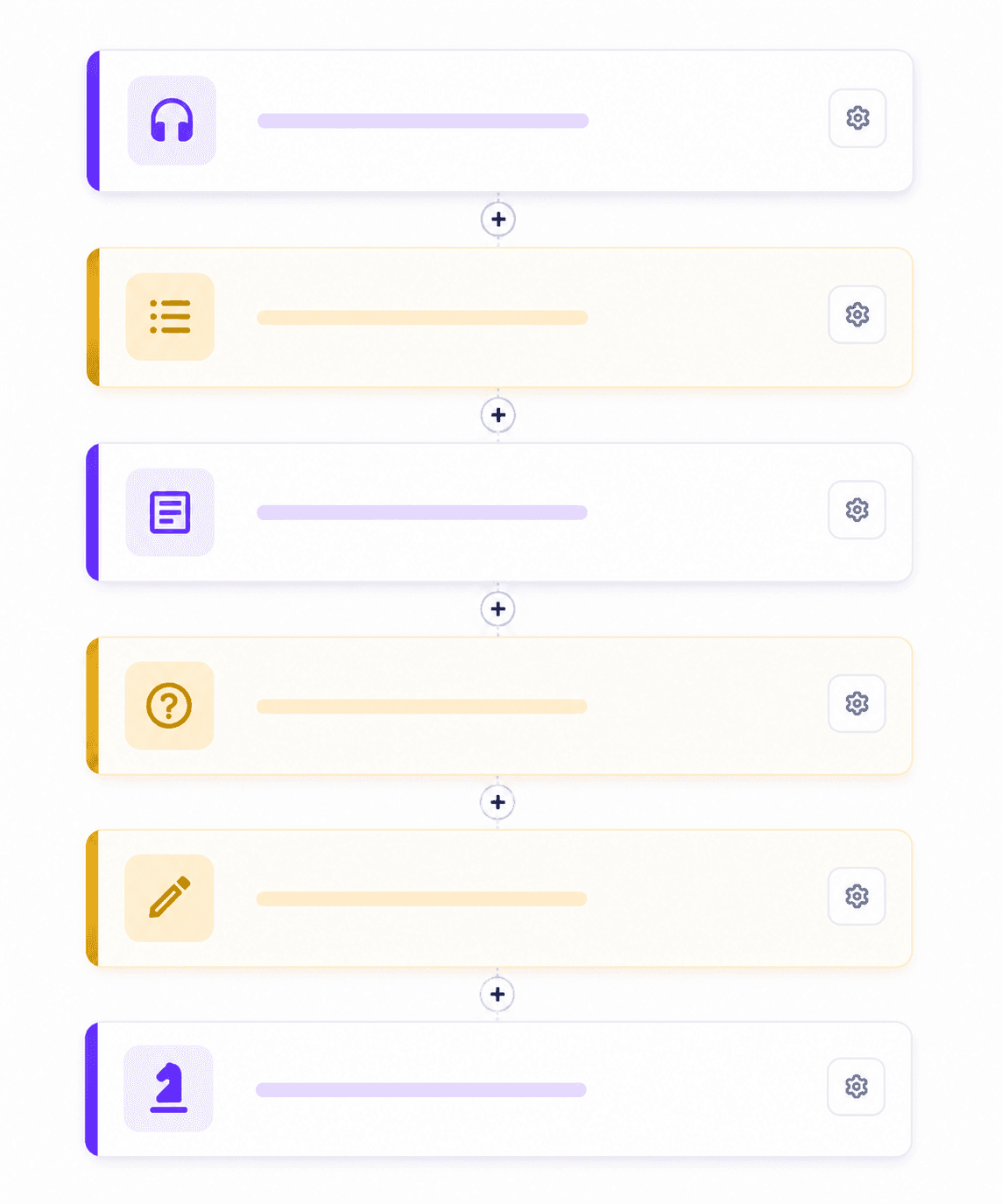
Think in blocks, not one long document
In Lesso, a lesson is a stack of blocks—small steps students move through one at a time. Purple blocks present material (reading, vocab, grammar, listening, images). Gold blocks are student tasks (quizzes, writing, voice, AI conversation). Gray blocks are yours alone: uploaded PDFs, your own text, or a video you already use.
That structure is deliberate. Language lessons work best when input, practice, and production are separated. Blocks force that rhythm, keep students from scrolling ahead, and let you regenerate or replace one step without rebuilding the whole lesson.
If you only use a single text block with everything inside, you lose most of what Lesso is built for. The goal is to let AI generate many focused blocks, then sequence them like a lesson plan you would write on the board—just faster.
A lesson flow that works almost every time
You do not need a complicated template. This six-step pattern fits most 45–60 minute classes and most homework assignments:
1) Short hook (image, one question, or 3–4 vocab items). 2) Main input (reading or listening with the language students will need). 3) Language focus (vocabulary list or grammar explanation—often one block, not both, unless level is high). 4) Controlled practice (one task: matching, fill-blanks, or multiple choice). 5) Freer practice (writing, short answers, voice message, or AI conversation). 6) Optional wrap-up (true/false recap or board game for review).
Skip steps only when you have a reason. Exam prep might stack two task blocks back-to-back; a conversation club might start at step 5. For general teaching, rushing to open production without input is the most common mistake.
Real example: B1 — complaining at a hotel (50 minutes)
Topic: functional language for polite complaints and requests. Level: B1. Length: medium. Skill focus: speaking + listening.
Suggested block order in Lesso:
• Image — AI generates a hotel reception scene. Use it as a 2-minute prediction task: “What problem might the guest have?”
• Vocabulary — 8–10 items (reservation, refund, noisy, charge, apologize…). Students skim before listening.
• Listening — 90-second dialogue: guest and receptionist. Keep the audio script for yourself; reveal transcript only if your pedagogy allows.
• Multiple choice — 4 questions on gist and detail (tone, main problem, what the guest wants).
• Grammar — short explanation of “I’d like you to…” / “Would you mind…?” with two examples—not a full page.
• Fill in the blanks — 6 lines using those phrases in context.
• Voice message (Pro) — “Record a 30-second complaint about a wrong room number.”
• AI conversation (Pro) — role-play: student is the guest, AI is reception. Set roles in block settings and cap sessions if you have a large group.
Why this works: each block has one job. Students meet the topic visually, learn words, hear models, check comprehension, study form, drill form, then speak. You can delete the grammar block and merge into listening if time is short—blocks make that edit cheap.
Real example: A2 — at the market (homework + short class)
Topic: food shopping. Level: A2. Use when you want lighter speaking pressure and more reading.
• Text — short market dialogue or description (AI). One screen, B1-ish length trimmed in settings via “simpler vocabulary” on regenerate.
• Matching — 8 pairs: food word ↔ definition or picture description.
• True / false — 5 statements about prices and quantities from the text.
• Writing — “Write 4 sentences about what you bought last week.” Set min word count in block settings.
• Custom image (optional) — upload a photo of a local market so the lesson feels personal; no credits for your own file.
Homework tip: publish the lesson link after class; students finish blocks 2–4 at home. Open live monitoring in the next lesson to see who stalled on writing.
Real example: teens — future forms (grammar-heavy, 40 minutes)
Topic: will vs going to vs present continuous for arrangements. Level: B1 teens.
• Grammar — AI explains the three forms with one clear contrast table. Keep it short; teens stop reading after one scroll.
• Grammar practice (task) — 6 multiple-choice items targeting form choice, not vague “grammar in general.”
• Text — short social chat between friends making weekend plans. Anchor the rules in something realistic.
• Short answer — 3 prompts: “What are you doing this Saturday?” etc.
• Board game — AI generates a board only; rules live in text below. Use for pair work if class size allows; otherwise assign as fun homework.
Encourage AI here: the grammar block and grammar practice block are different types—explanation vs quiz. Teachers who merge them into one text block lose automatic checking and the answer key.
Which block type when (quick reference)
Vocabulary — new lexis before skills work; also strong as a lesson opener.
Grammar — rule + examples when accuracy is the goal; pair with grammar practice or fill-blanks, not with six MCQs on unrelated topics.
Text — reading comprehension, cultural context, exam-style passages.
Listening — when pronunciation and gist matter; always place before listening comprehension tasks.
Image / board game — motivation, prediction, culture, or end-of-lesson review—not filler without a task linked to it.
Multiple choice / true-false — checking understanding; keep stems short; edit questions in block settings after generation.
Matching — lexis, collocations, definitions, or grammar contrasts (do vs make).
Fill in the blanks — form-focused practice after a clear model.
Short answer / writing — production; give clear prompts and word limits.
Voice message — pronunciation and fluency without live AI; great when students are shy in front of the class.
AI conversation — capstone speaking practice once students have language to use; set topic and roles explicitly.
Use AI generation on most blocks—here is how to do it well
Lesso coins are spent per block when you generate. That is a feature: you control cost by choosing which blocks need AI and which you supply yourself.
Start with structure first. Let AI propose the outline, then delete blocks you do not need before generating everything. Removing a block before generation costs nothing.
Use “Additional AI instructions” on a single block when one step is wrong but the rest is fine—e.g. “Use British English,” “Make the listening script 120 words,” “Teen-friendly tone, no idioms.” Regenerating one block costs less than rebuilding the lesson.
Tune block parameters before you hit Generate: question count on quizzes, blank count on fill-blanks, discussion prompts on speaking. Those fields steer the model more than repeating the same request in chat elsewhere.
After generation, open lesson view (not only the outline). Read as a student would. Fix task answers in the human-friendly question editors—students never see JSON; you should not need to either.
When a block fails (empty quiz, weak image), regenerate that block once with a sharper instruction rather than publishing and hoping. Your answer key and student view stay in sync when settings are filled in.
Credits: efficient habits without under-teaching
Generate high-impact blocks first: listening, reading, and the main task students must submit. Use custom text for instructions you already have on paper.
Each block gets a few free regenerations, then a discounted credit cost—use it for one weak block instead of regenerating the whole lesson.
Pro blocks (voice, AI conversation) cost more per use or per session; place one speaking block at the end, not three in a row, unless you have budget and pedagogical reason.
Image and board-game blocks cost more than plain text; one strong visual per lesson is usually enough. Reuse your own photos via custom image blocks for free.
If you teach the same topic to three levels, duplicate the lesson, adjust the prompt level, and regenerate only the blocks that must change—vocabulary, text length, and task difficulty—not the whole structure from scratch.
Common mistakes to avoid
Too many multiple-choice blocks in one lesson — students fatigue; vary with matching, fill-blanks, or production.
Listening with no prior vocab — students guess. Add 6–8 words or a short text first.
AI conversation as the first block — students talk without language. Move it after input and one controlled task.
Giant text block with embedded questions — split into text + task blocks so answers save and you get a teacher answer key.
Never opening lesson view before publish — you catch formatting issues and missing quiz questions early.
Ignoring block order — order is the lesson narrative. Drag blocks after generation if the flow feels wrong.
Custom blocks: when not to use AI
Upload your syllabus PDF, a textbook scan, or a worksheet you already trust. Custom document and custom image blocks respect your materials and spend no generation credits on content you already own.
Use custom text for classroom management (“Work in pairs”), exam rubrics, or school policies—static lines that should not change when AI regenerates nearby blocks.
Mixing custom and AI blocks is normal in real schools. Lesso is not “all AI or nothing”; it is a lesson runner that defaults to AI where it saves time.
Before you publish: a five-point checklist
1) Every gold task block has questions or prompts filled in—open lesson view and confirm students see activities, not empty placeholders.
2) Listening blocks have audio (or you know you are waiting on generation to finish).
3) At least one production block exists if speaking or writing was a lesson aim.
4) AI conversation blocks have roles, topic, and credit limits you understand.
5) Block order matches your planned timing; hide any block you will skip today so students are not confused.
Then publish, share the link or email invites, and use live monitoring during class to see progress block by block.
Put it into practice this week
Pick one class you teach this week. Build one lesson in Lesso using the six-step flow and at least four different block types—one must be an AI-generated student task.
Start from a honest teaching prompt: “B1 adults, 45 minutes, polite emails at work, focus writing.” Accept the suggested outline, then delete one block you would never use. Generate, preview in lesson view, edit one quiz in settings, publish to a test student account or your own phone.
After you teach it, note which block took longest and which students skipped. Next lesson, change only that part of the structure. That feedback loop is how blocks become efficient—not by using every block type in one lesson, but by choosing the right few every time.
New to Lesso? Read What is Lesso.me? for the full picture on publishing, monitoring, and Explore—then come back here when you plan the next lesson’s blocks.